Episode 01Ace, listeningNovember 14, 2026
The AI that listens, then answers out loud.
Talk to Ace and it answers in its own voice. Or let it hear the lecture, the class or the meeting, and keep the notes, key points and flashcards.
Windows, Mac, Linux and iPhone. Hold your hotkey and talk.
Listen to the recording
In this recording
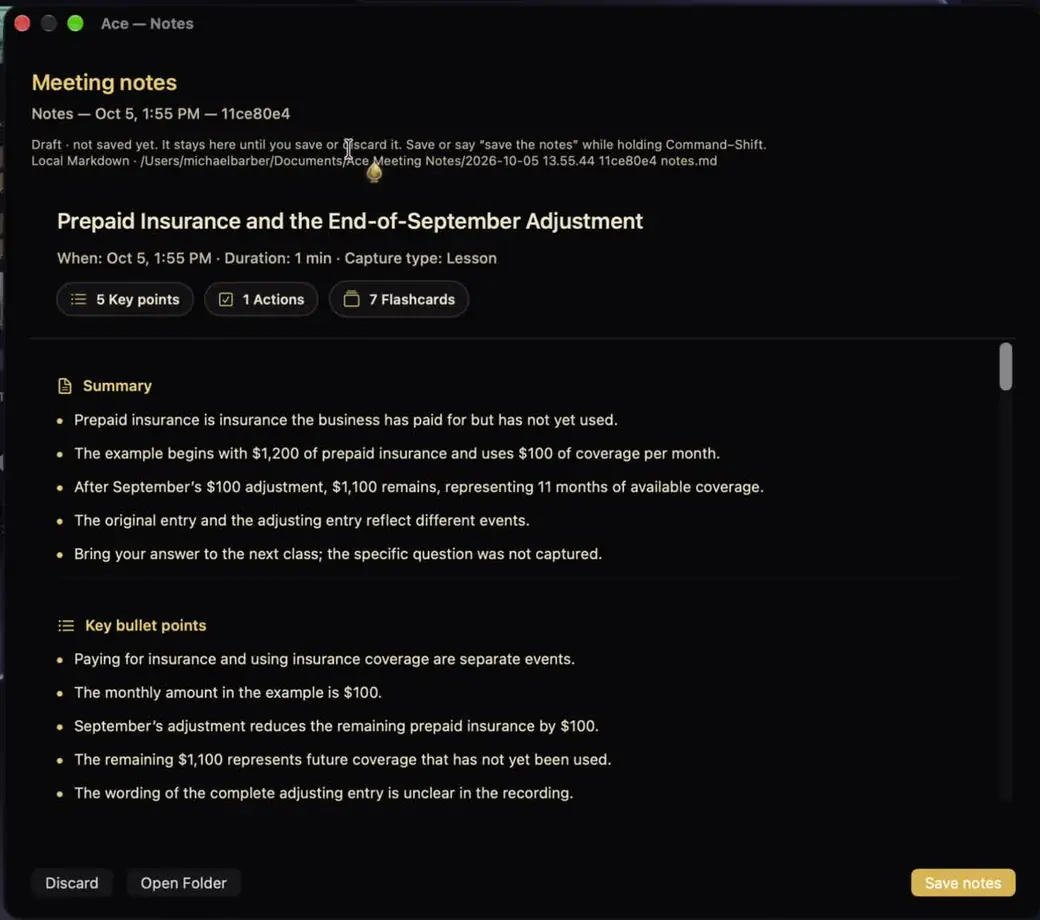
- 00:00Your complete notes are ready, including the prepaid insurance example,
- 00:04the September adjustment, and the next class assignment.
- 00:07I opened the complete review. Nothing has been saved yet.
- 00:10Read it, then click Save these notes, or say “save the notes.”
- 00:14It stays open until you save or discard it.
- 00:18The exact local destination is shown in the review.
Chapters
Transcript
A lecture, then the notes
“You” lines are example asks. “Ace” lines are from the recording above.
- You
- “Listen to this lecture and give me the key points.”
- Ace follows the lecture live and drafts notes, key points and flashcards for you to look over first.
- Ace
- “Your complete notes are ready, including the prepaid insurance example, the September adjustment, and the next class assignment.”
- Ace
- “I opened the complete review. Nothing has been saved yet.”
- Ace
- “Read it, then click Save these notes, or say ‘save the notes.’”
- You
- “Save the notes.”
- The notes go to a local Markdown folder on your computer. The notes window shows the folder on its “Local Markdown” line.
- You
- “Make flashcards from today’s class notes.”
- You
- “Help me think this idea through out loud.”
- Ace answers out loud in its own voice, and you can type instead of talking. Follow up without starting over.
The live web platform
Where your notes go next
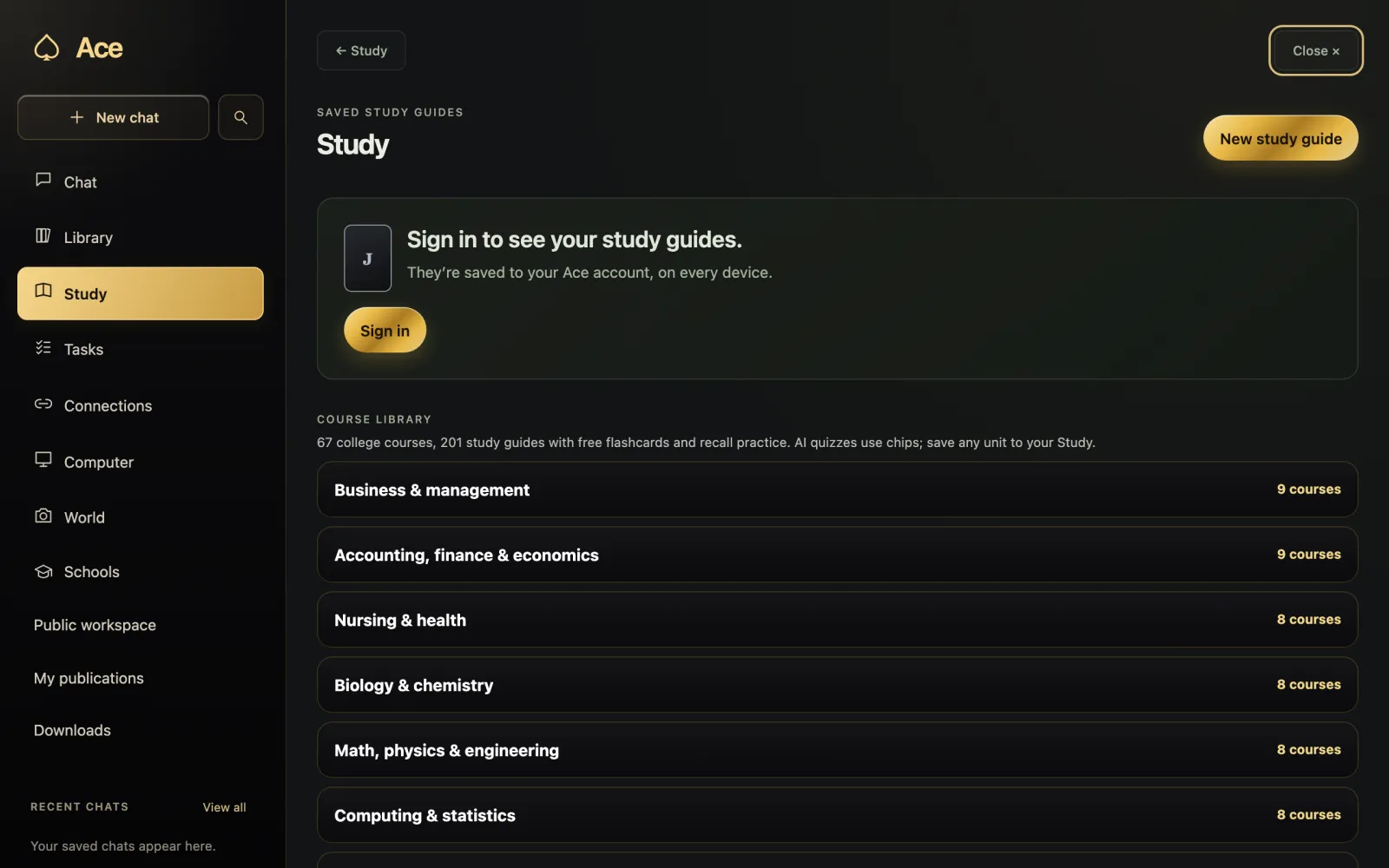
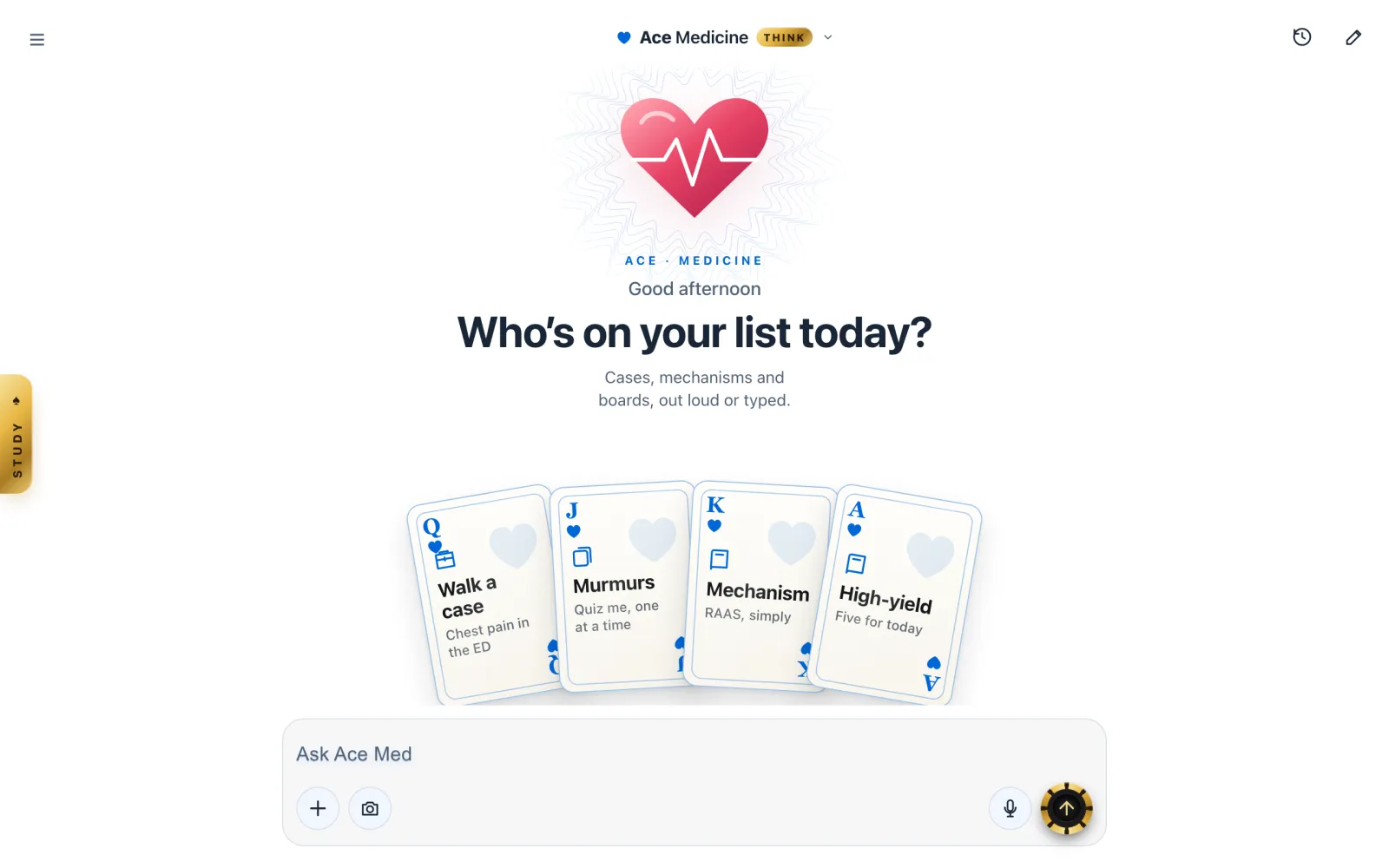
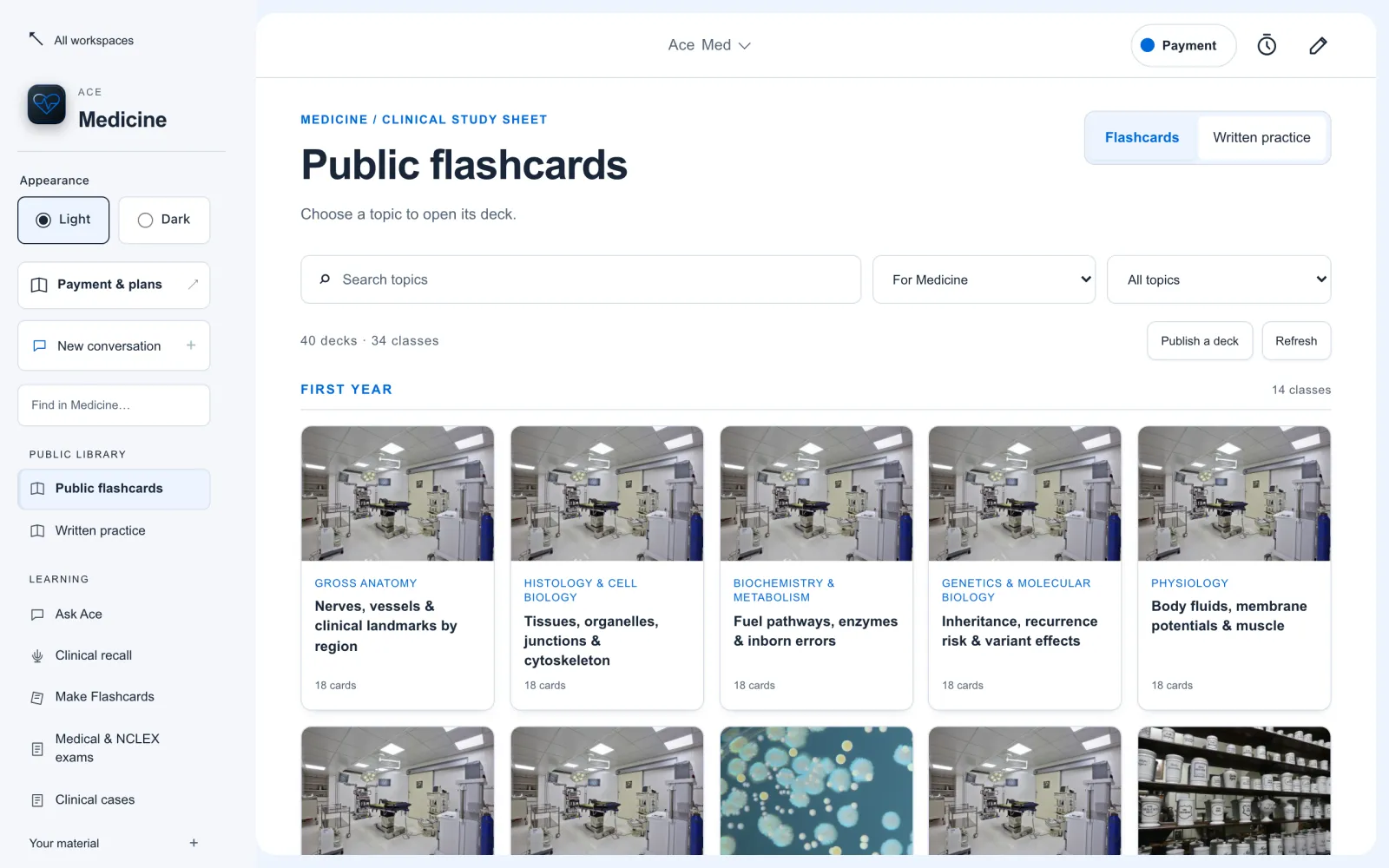
Study with its course library, Ask Ace Med and the public flashcard decks in the live Ace workspace.
Show notes: three steps
Create your free account
2,000 free credits, no card. Sign up with Google or your email.
Get Ace and allow the microphone
On Mac hold Command + Shift, on Windows Ctrl + Shift.
Talk, or let it listen
Ask a question, or start notes on what you are hearing.
Turn spoken notes into a useful task list
Try this with your own short voice note first. A clear recording and a small goal make it easier to check the result.
Choose what to capture
Use the microphone for the note you want processed. For a meeting or conversation, make sure participants agree before recording.
Ask for a structured result
Try: “Turn this note into decisions, tasks and open questions. Only include an owner or due date if I said one. Mark unclear names for me to check.”
Correct, then keep
Check names, dates and numbers against what you said. Read the saved note after saving it so you know what was actually kept.
Listening, transcribing and saving are different parts of the workflow. Background noise and similar-sounding names can produce errors even when the summary reads smoothly.

The microphone, on your terms
You grant it
The microphone is a permission you give through your computer’s own prompt, and you can turn it off again. On Windows it is under Settings › Privacy & security › Microphone.
Nothing saved by itself
Until you click Save notes or say “save the notes”, the notes window shows a draft you can read over.
Kept on your computer
Saved notes go to a local Markdown folder, shown on the notes window’s “Local Markdown” line.
Agree first
For a meeting or conversation, make sure the people in it agree before Ace listens.
Price
2,000 free credits. No card required. One balance for your computer, phone and the web.
Try Ace freePaid plans and top-ups (8)
| Plan | Per month | What it includes |
|---|---|---|
| Table Pass | $20 | Connect your own supported AI subscription. |
| Pocket Pair | $30 | 10,000 hosted AI chips per month. |
| Full House | $50 | 30,000 hosted AI chips per month. |
| Private Table | $75 | Connect your own supported AI subscription. |
| High Roller | $100 | 60,000 hosted AI chips per month. |
| The House | $200 | 100,000 hosted AI chips per month. |
| Starter top-up | $10 | 5,000 chips, one time |
| Reload top-up | $50 | 20,000 chips, one time |
Prices in USD, from tryacee.com/pricing. Subscriptions renew until canceled. Compare every plan
Guides on this site
- AI that listens to lectures and takes notesSet up an AI note taker for class: where the microphone goes, online lectures, the five-minute check, and turning notes into flashcards you can trust.
- AI that listens to meetings and takes notesBuilt into Meet, Zoom and Teams, a separate note service, or a listener on your own laptop: how each AI meeting note taker works and what to check first.
- AI that listens and respondsAfter a lecture or meeting, ask the AI that listened: what was decided, what the exam covers, what you missed. How to ask, and how to catch a wrong answer.
- How accurate are AI note takers?AI notes can be mostly right and still wrong where it matters: names, numbers, negations and who owns a task. Where the errors come from, and a quick check.
- Is it legal to use an AI note taker in a class or meeting?When can you let an AI listen to a class, call or meeting? One-party and all-party consent, school and workplace rules, and what to say before you start.
- All guidesEvery guide on this site in one list, with reading times.
Featured guides & AI tools
Listener questions
Can Ace take notes on a lecture?
Yes. In Lecture → notes, Ace listens live and gives you notes, key points and flashcards to look over first. Classes and meetings work the same way.
Does it save recordings automatically?
No. Nothing is saved until you click Save notes or say “save the notes”. Until then the notes window shows a draft you can read over.
Where are my notes stored?
In a local Markdown folder on your computer. The notes window shows the folder on its “Local Markdown” line, and the file stays on your computer.
Can I turn the microphone off?
Yes. The microphone is a permission you grant through your computer’s own prompt, and you can turn it off again. On Windows it is under Settings › Privacy & security › Microphone.
Can I talk to Ace instead of typing?
Yes. Hold Ctrl + Shift on Windows or Command + Shift on a Mac and talk. Ace answers out loud in its own voice, and you can type instead whenever you like.
Does it make flashcards from what it heard?
Yes. Ace turns notes into key points and flashcards, so studying starts from your own material.
Does the AI that listens work on my phone?
Yes. Ace Mobile on iPhone uses the same account and the same balance as your computer and the web.
Is it free?
Yes, to start. Free Play gives you 2,000 credits with no card. Paid plans start at $20 a month.
Is there an AI that listens to a lecture and lets you review notes before saving?
Yes. Ace listens through your permitted microphone during a class, lecture or meeting, opens the complete structured review with the exact local destination shown, saves nothing until you click Save these notes, and turns saved notes into flashcards. Free Play starts with 2,000 credits and no card.
Your words, carried forward.
Free Play: 2,000 free credits, no card.
Try Ace free